Steadnote REP

Audit-ready records for Real Estate Professional status, on your Mac, iPhone and iPad.

Get in touch
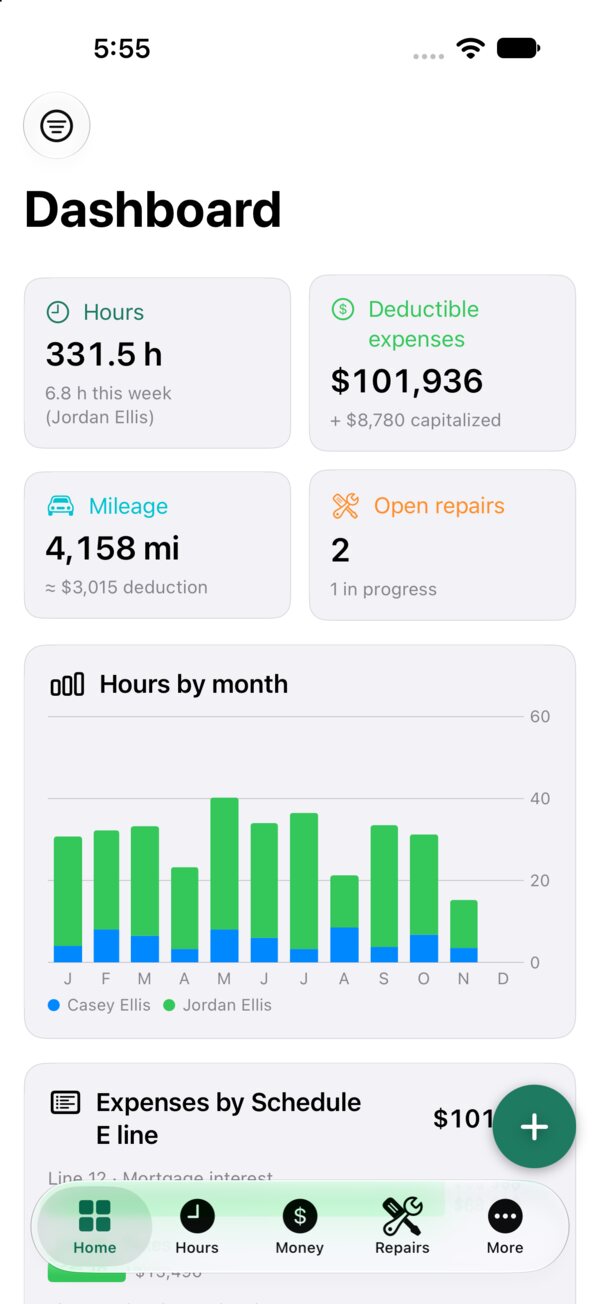
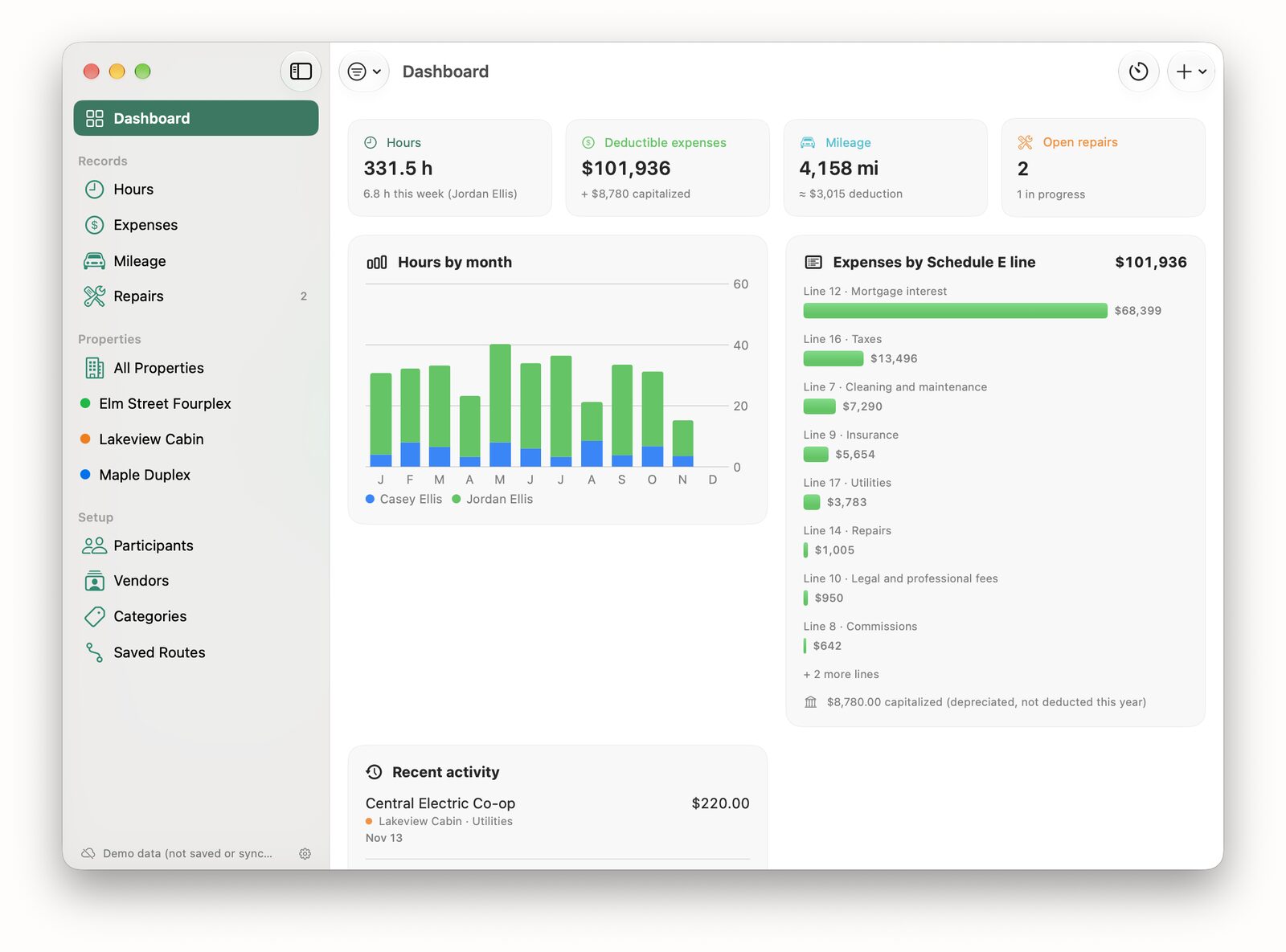
The Steadnote dashboard on a Mac: 331.5 hours logged, $101,936 in deductible expenses, 4,158 miles, hours by month for two people, and expenses by Schedule E line The same dashboard on iPhone

Real Estate Professional status lets rental losses offset the rest of your income. To qualify, you need more than 750 hours a year in real estate, and more than half your working time. If the IRS asks, you have to prove it with a log written at the time, not rebuilt from memory in April. Steadnote REP makes that log easy to keep, along with the expenses, mileage and repairs that go with it.

On your Mac, iPhone and iPad

Log an expense on your phone at the hardware store, and it’s on your Mac by the time you get home. There’s nothing to set up: if you’re signed in to iCloud, Steadnote keeps your devices in step on its own.

It works offline, too. Each device has all your records, so you can keep logging at a property with no signal, and everything catches up once you’re back online.

Private, in your own iCloud

Steadnote has no servers and no account to create. Your records are stored in your private iCloud, which only you can see. I can’t see your data, and neither can anyone else unless you share it with them. There’s no tracking, and you can export everything whenever you like.

Share one property, not your whole portfolio

Invite your spouse, property manager or CPA to a single property without showing them the rest. Choose what each person can do: change anything, add only their own hours and expenses, or just look. Tenant details stay hidden unless you allow them, and you can stop sharing at any time. Shared records never leave your iCloud.
Log it while it's happening

Logging an hour, an expense or a repair takes seconds. Start a timer from the menu bar on your Mac or the lock screen on your iPhone, or jot down an entry after the fact. Steadnote warns you about overlapping entries and days that don’t add up.
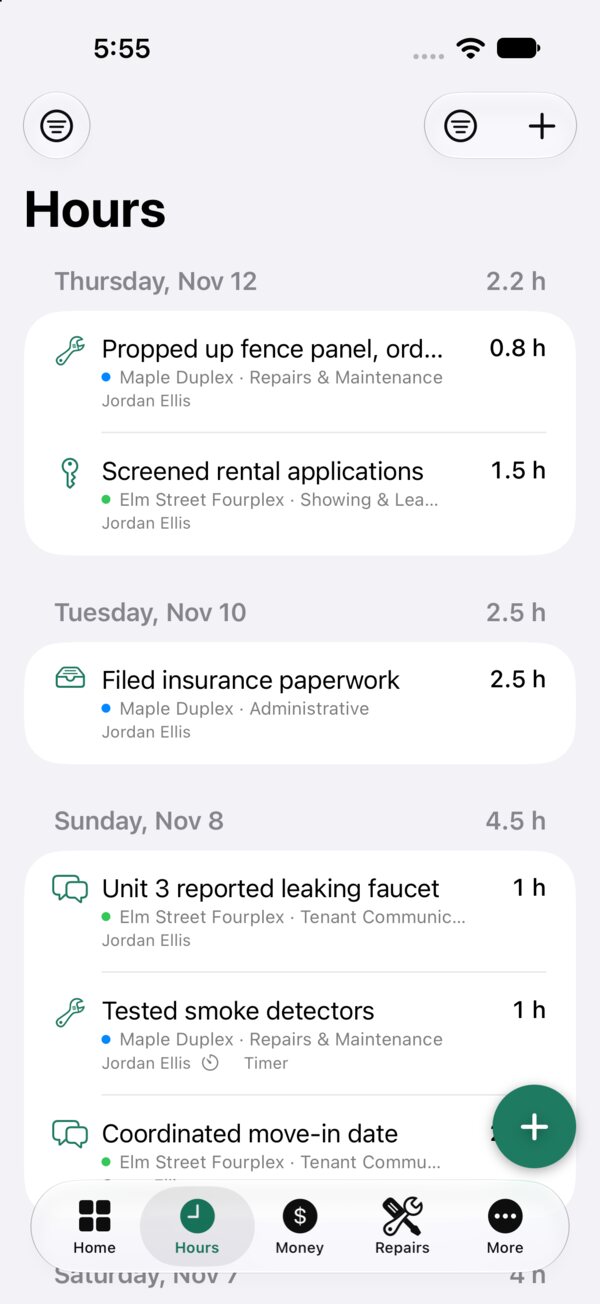
Steadnote on iPhone: the Hours list, grouped by day, with entries like Screened rental applications, 1.5 hours at Elm Street Fourplex

Hours that count, and everyone's hours

Not every hour counts toward material participation. Investor activities, education and most travel usually don’t, so Steadnote flags them instead of letting them pad your total.

Every entry records who did the work, so you can compare your hours with a spouse’s, a cleaner’s or a property manager’s, month by month and property by property. You can log your other work hours too, for the “more than half your working time” test.

Expenses, mileage and repairs

Expenses land on the right Schedule E line as you enter them, with the receipt attached. Saved routes make a round trip to a rental a one-tap entry, valued at the IRS mileage rate for that day. And when something breaks, Steadnote helps you decide whether it’s a repair you deduct now or an improvement you depreciate, and keeps your reasoning with it.
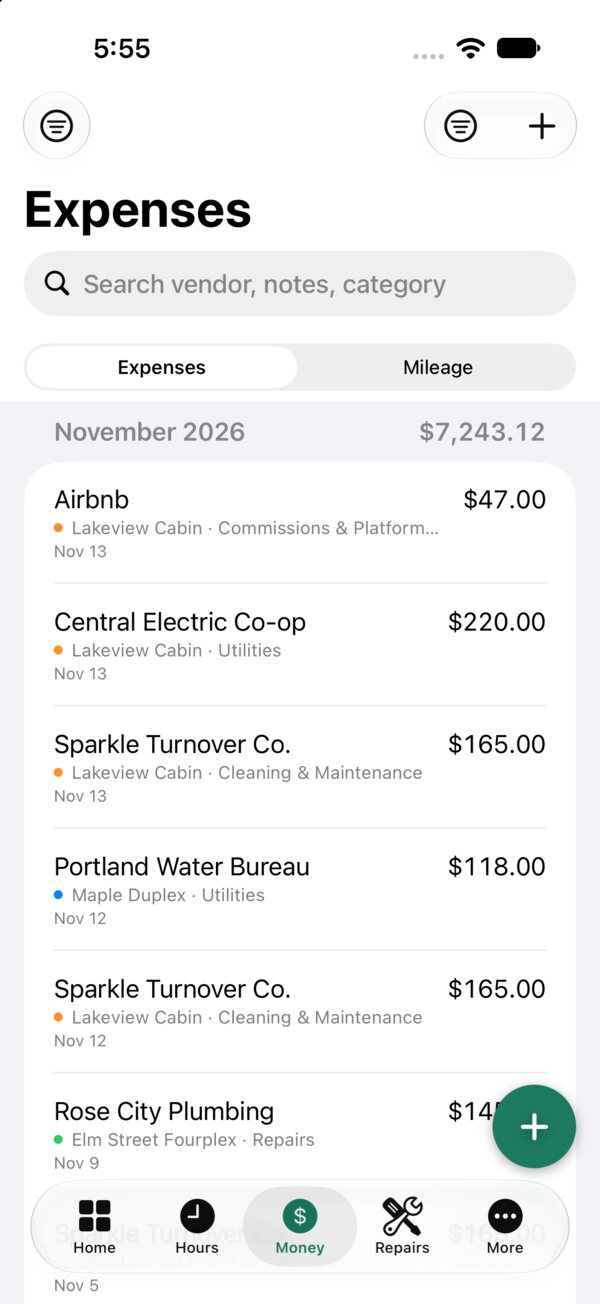
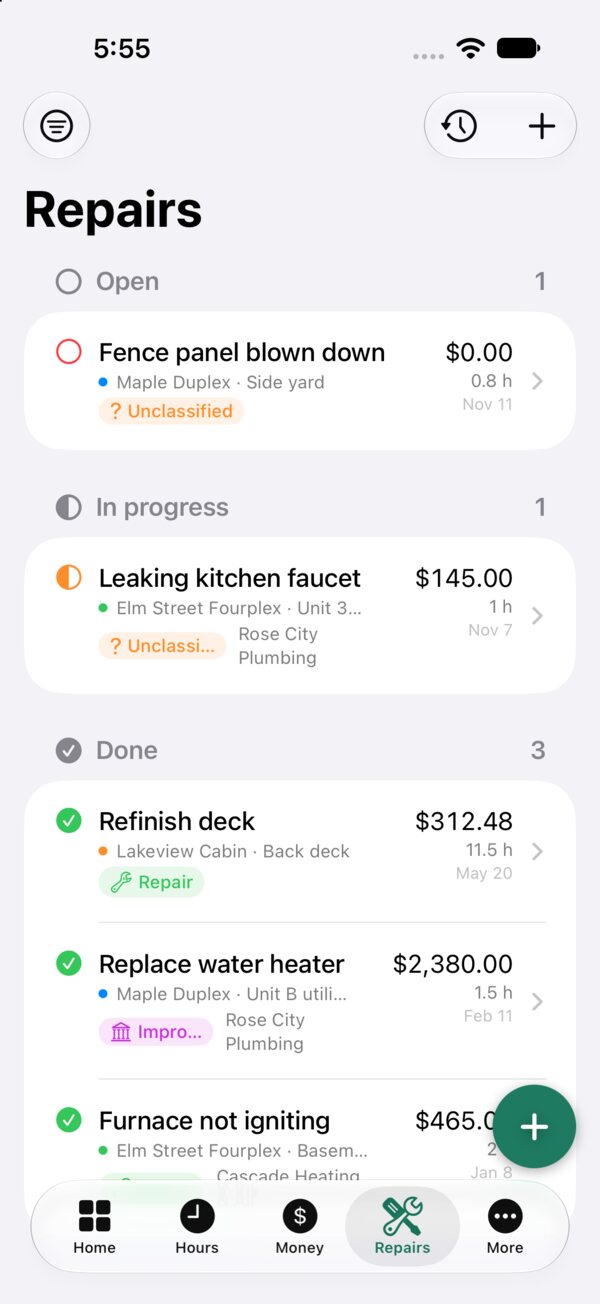
Steadnote on iPhone: November expenses totaling $7,243.12, with vendor, property and category Steadnote on iPhone: repairs grouped as open, in progress and done, each marked as a repair or an improvement

Ready for tax time

Hand your CPA an hour log, a Schedule E summary for each property and a mileage log, or a single packet for the year with the receipts and photos behind them.

Steadnote REP is a record-keeping tool, not tax advice.

Interested in Steadnote REP?

Steadnote REP is in development for Mac, iPhone and iPad. If you're working toward Real Estate Professional status, or you prepare taxes for people who are, I'd love to hear from you.

Get in touch